AvatarDoc
Build a VRChat avatar’s expressions menu in one inspector: toggles, radials, outfit selectors and touch reactions, made at upload through NDMF.
What it does
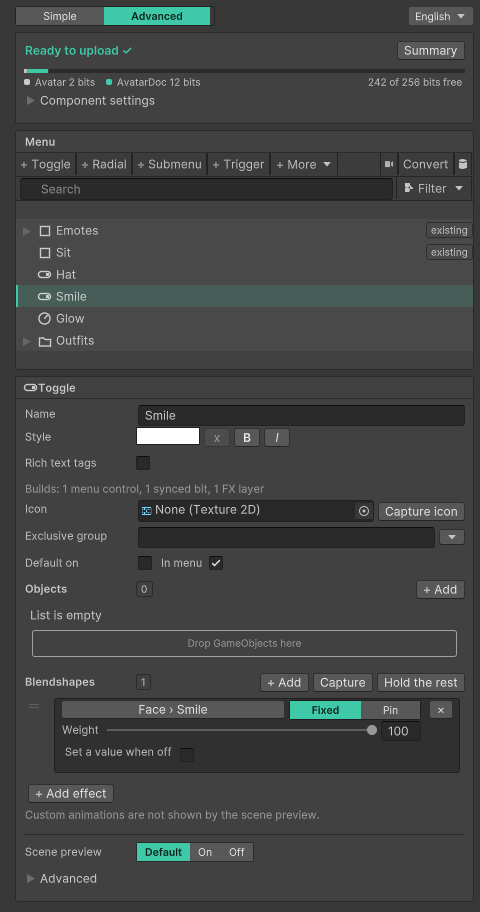
You add one AvatarDoc component to your avatar and describe the menu in it. AvatarDoc builds the animator layers, parameters and menu when you upload or press Play. Nothing is baked into the avatar while you edit.
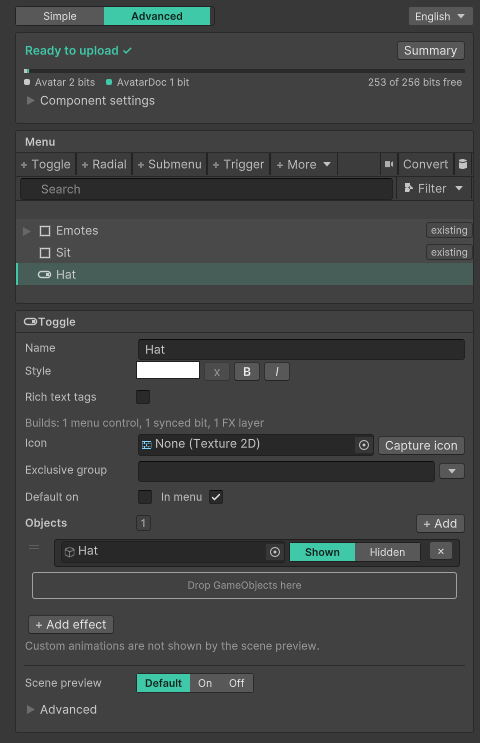
- Toggles, radials and submenus that show objects, move blend shapes or change materials. Toggles can join a group where one is on at a time.
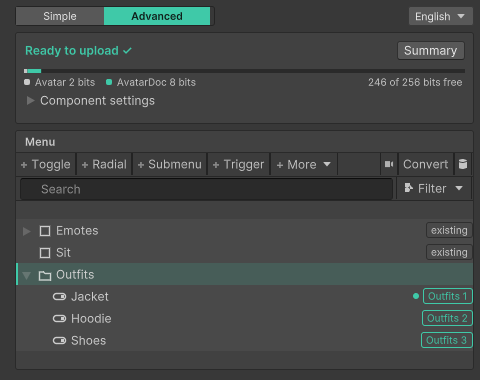
- Outfit selectors made from a handful of objects in one window.
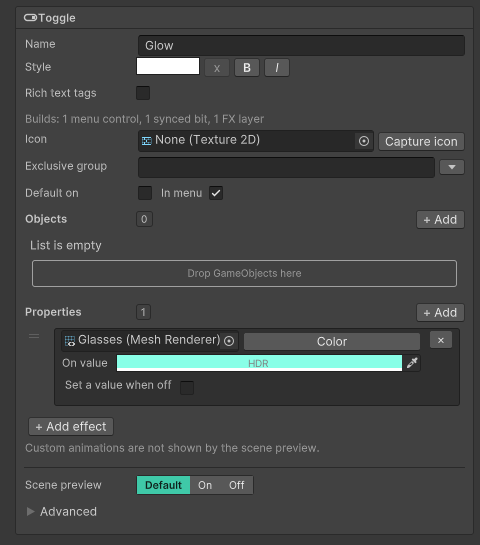
- Colour and glow changes: a material value that follows a toggle or a slider.
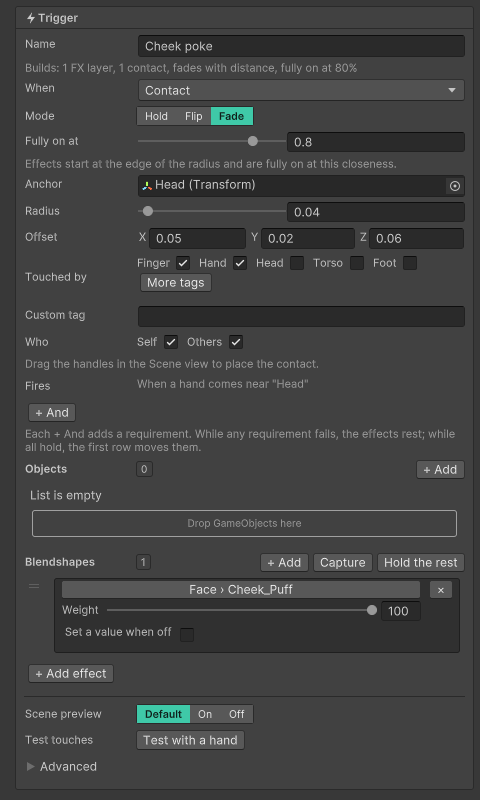
- Touch reactions: a hand or finger near a spot on the avatar fades something in or out.
- Converting toggles made with VRCFury or Modular Avatar into AvatarDoc entries, and editing a menu that already exists.
Requirements
- Unity 2022.3
- VRChat SDK 3.10 or newer
- NDMF 1.14.1 or newer
- Modular Avatar is optional. AvatarDoc does not need it.
Install
- Add the DocMe listing to the VRChat Creator Companion: open https://docmevr.github.io/vpm and press Add to VCC, or add
https://docmevr.github.io/vpm/index.jsonunder Settings > Packages > Add Repository. - AvatarDoc needs NDMF, which comes from its author’s listing: add
https://vpm.nadena.dev/vpm.jsonthe same way (the DocMe listing page has a second Add to VCC button for it). If you use Modular Avatar, you have it already. - In your avatar project, press Manage Project and add DocMe AvatarDoc. VCC adds NDMF with it.
Without VCC: download the .zip from the latest release at https://github.com/DocMeVR/AvatarDoc/releases and unpack it into a new folder Packages/dev.docme.avatar-doctor in your project, or import the .unitypackage. Install NDMF first.
Quick start
This makes a toggle that shows or hides a hat. The full tutorial, with pictures, is at https://docmevr.github.io/AvatarDoc/start-here/first-toggle/
- In the Hierarchy, select your avatar.
- In the inspector, press Add Component, type
AvatarDocand pick it. - In the welcome card under the empty menu tree, press Make a toggle.
- Type the name of your hat and pick it in the list. A toggle named after the hat appears in the tree, and its Objects list holds the hat.
- Press Play with Gesture Manager to try it, or upload as usual. AvatarDoc builds the menu either way.
Languages
AvatarDoc speaks English, Japanese and Simplified Chinese. The language button at the right end of the Simple | Advanced row changes it. See Translating AvatarDoc to add one.
Documentation
Everything else is on the docs site, docmevr.github.io/AvatarDoc:
- Start here: install, and three first tutorials.
- Guides: one page for each thing you want to do.
- Reference: every control and setting, and what each message means.
- How it works: what AvatarDoc builds, and how it fits with other tools.
- Help: troubleshooting, the FAQ, how to report a bug and the changelog.
Start here is also in 日本語 and العربية.
How this was made
The code in this repository was written by AI (Claude, by Anthropic). The idea, the design, every feature, the testing on real avatars and the decisions on how it should behave are mine (DocMe). I planned it and directed the work; the AI typed it out. Bug reports and pull requests are welcome, and anything that gets merged goes through my own review.
License
AvatarDoc is MIT licensed. Copyright 2026 DocMe, https://github.com/DocMeVR . The full text is in LICENSE.md. You may use it, change it and ship it inside paid avatar packages. Keep the copyright notice with it.
The popup menu is modelled on ThryEditor’s RetainedMenu by Thryrallo (MIT).
パッケージ名
dev.docme.avatar-doctor
ドキュメント
https://docmevr.github.io/AvatarDoc/
リポジトリ
- DocMe Tools (9 バージョン)
バージョン
0.8.0 (変更履歴)
Unityバージョン
2022.3 以降
依存関係
なし
VPM依存関係
旧パッケージ
なし