UIHUD
HUD + slide-in menus for VRChat worlds (UdonSharp) and standalone Unity games. One setup works on VR, Desktop and Mobile.
Examples
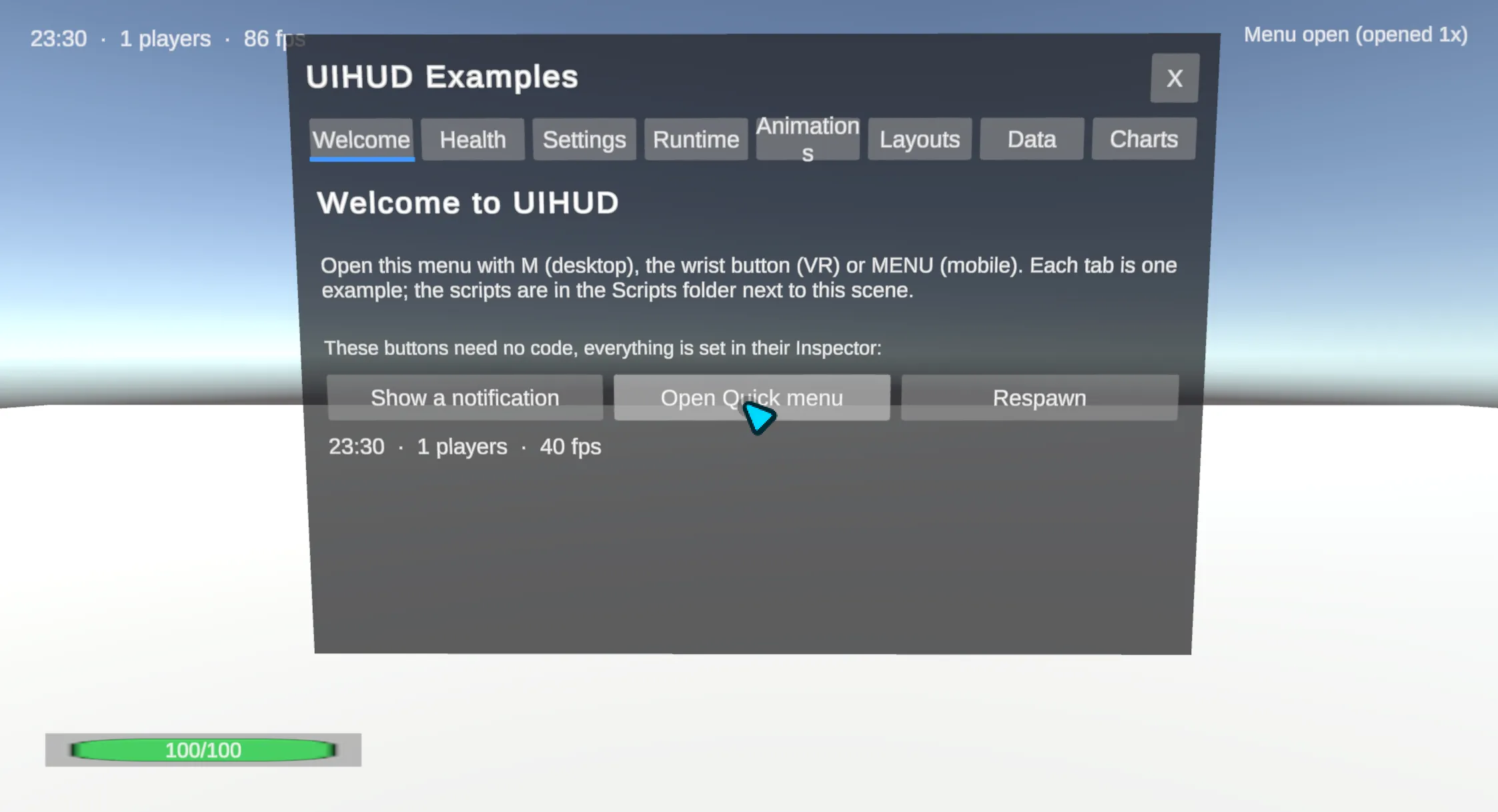
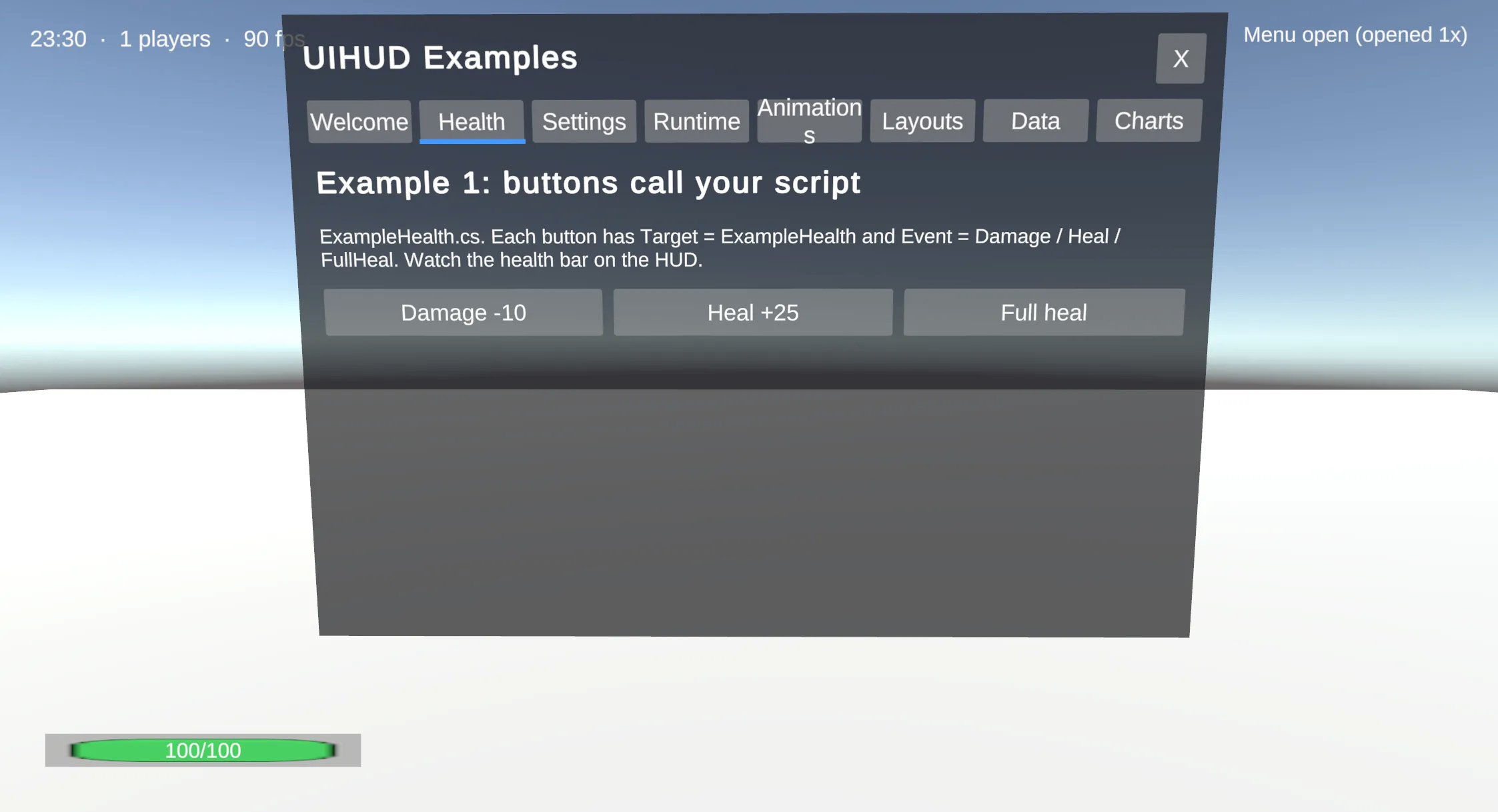
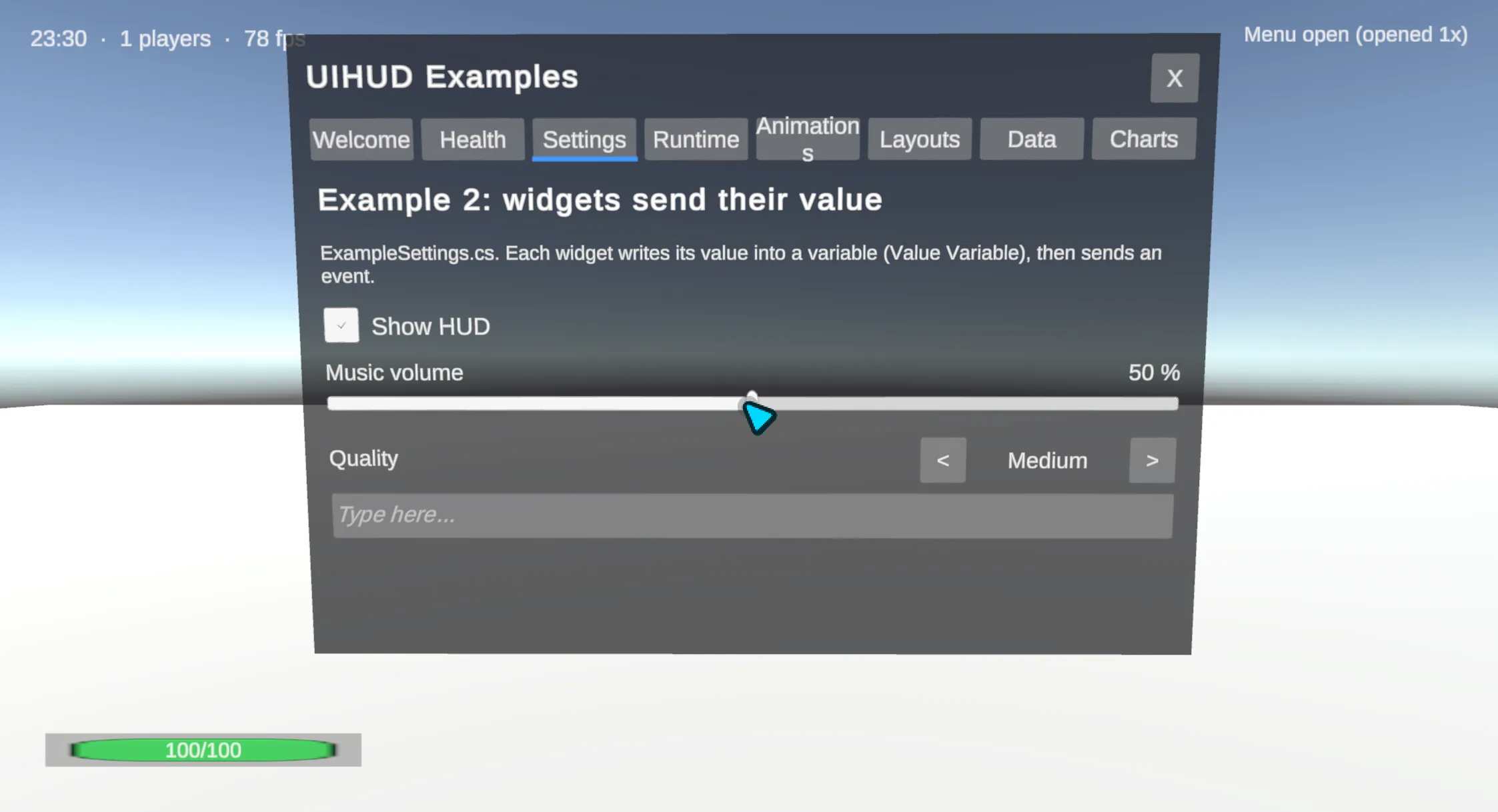
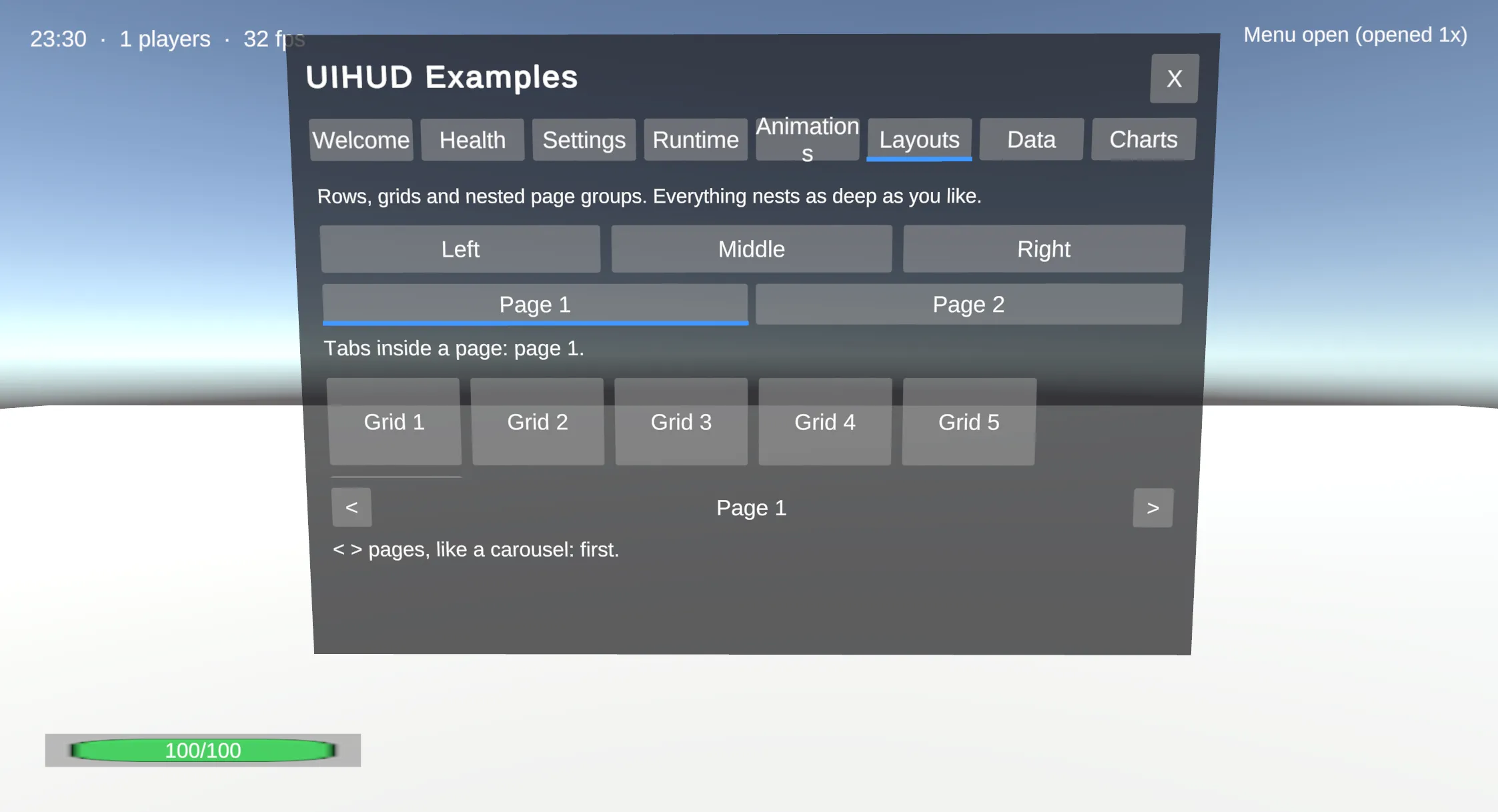
Window ▸ Package Manager ▸ UIHUD ▸ Samples ▸ Examples ▸ Import, then open Assets/Samples/UIHUD/…/Examples/UIHUD Examples.unity and press Play. It covers every widget, both menus, runtime widgets, animations, world panels (welcome board, teleports, room controls, a synced counter and poll, a shop), and 7 commented example scripts (see the sample’s README).
Screenshots
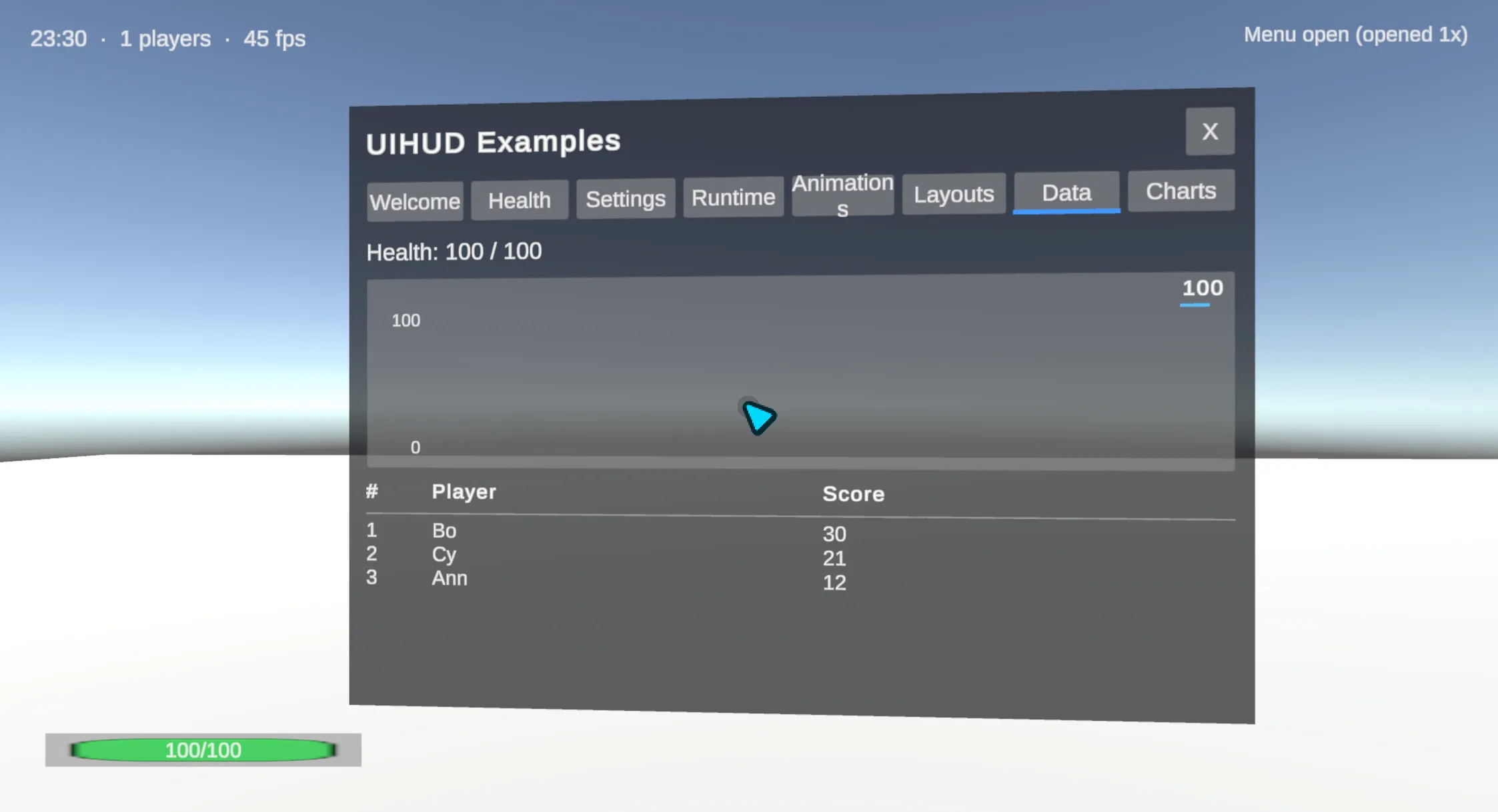
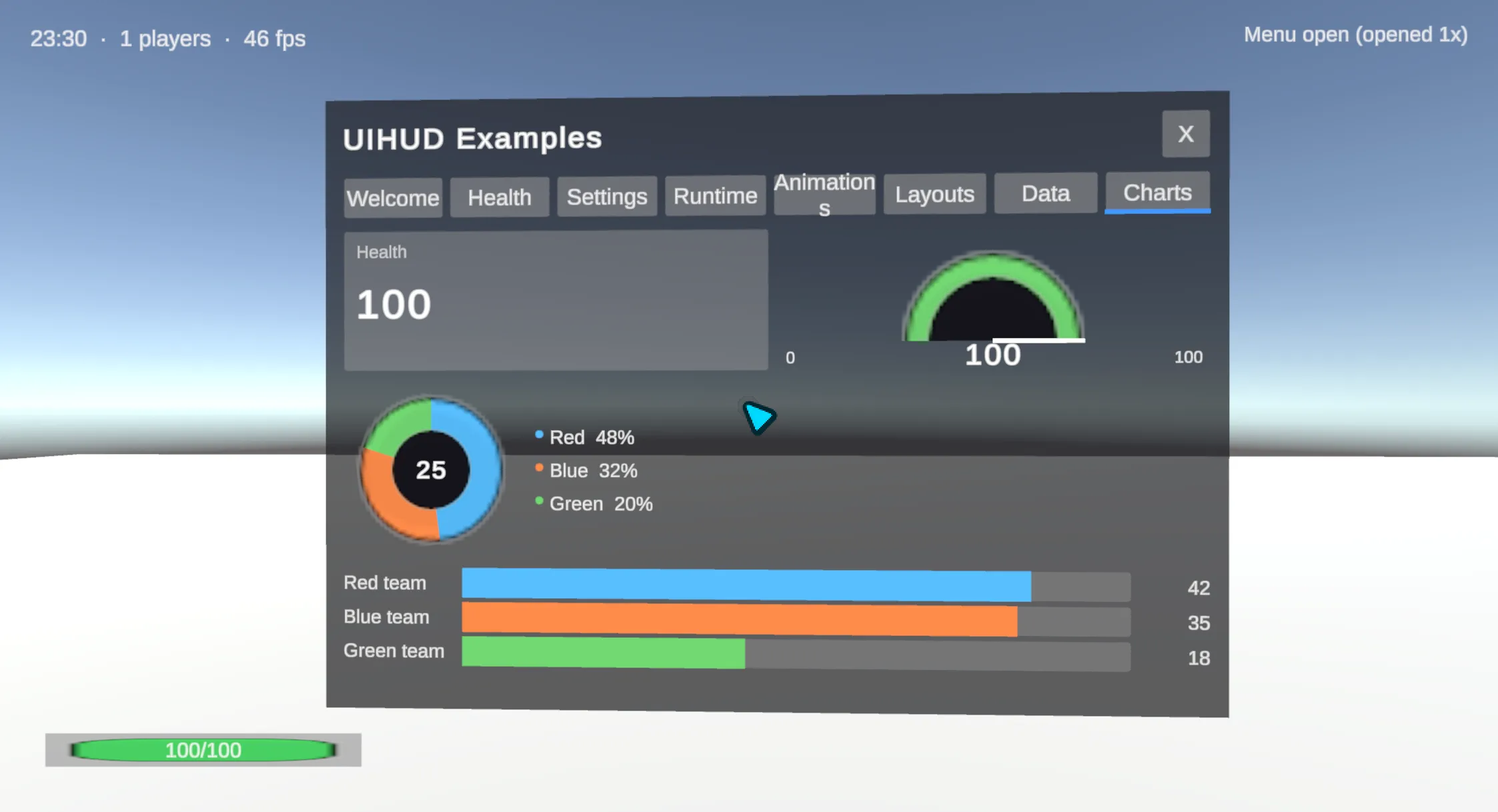
From the example scene (menu pages, captured in Play mode).
| Welcome | Health | Settings |
|---|---|---|
 |  |  |
| Layouts | Data | Charts |
 |  |  |
Quick start
GameObject > UIHUD > UIHUD System (HUD + Menu)builds everything, with all events wired.- Press Play (ClientSim) and press M to open the menu.
| Platform | HUD | How the menu opens |
|---|---|---|
| Desktop | Follows the camera | desktopKey (default M) |
| VR | Follows the head, with smoothing | Wrist button on one hand (left by default, switch in the Inspector or with SetWristLeft/SetWristRight/SwapWristHand): press it with the other hand |
| Mobile | Follows the camera | MENU button in the top-right corner (tap it) |
Editing in the Inspector (no menu items needed)
Select UIHUD (the manager):
- Menus: rename, change the side, toggle Main (opens with M/wrist/mobile), Edit selects it, ✕ deletes it. Pick a side and click + Add Menu.
- HUD: list of HUD items (show/hide, rename, ▲▼ reorder, ✕ delete), plus + Bar / + Label / + Notification.
- Open the menu with: desktop key and the VR wrist/mobile buttons.
Select a menu canvas (e.g. CenterMenu Canvas):
- Menu: title, side (Left/Right/Top/Bottom/Center), size with Small / Wide bar / Big presets.
- Pages: the ○ marks the start page; rename (also renames the tab), ▲▼ reorder, ✕ delete (removes the tab too), + Add Page. Click Widgets to preview that page.
- Widgets on the page: show/hide, rename, ▲▼ reorder, ✕ delete, and + Button / Toggle / Slider / Label / Bar.
Quick edit (▸ on any widget row): text, font size/style/color, alignment, height (menus) or anchor/offset/size (HUD), toggle “on at start”, slider min/max/start value, image sprite/color, plus the widget’s own actions and callback. When a callback Target is set, Event Name is a dropdown of the target’s public methods. ⧉ duplicates a widget with its events rewired to the copy.
+ Add widget opens a list with a picture of each widget (in your current style): hover to see it, click to add.
Widgets (menu pages): Button, Toggle, Slider, Selector, Text Input, Header, Label, Info, Player List, Bar, Radial Bar, Image, Divider, Space, plus containers Pages (tabs), Pages (< selector >), Row, Grid, Scroll. HUD: Bar, Radial Bar, Header, Label, Info, Notification, Image, Row.
Nesting (page in page, child in child): containers hold any widget, including other containers. Open a container’s ▸ and you get the same list + Add widget for its children. A Pages widget lists its pages; click Edit on a page to edit its widgets, which can contain another Pages widget, and so on, as deep as you like.
Preview window (Window > UIHUD Preview, or Open Preview window in the UIHUD / menu Inspector): shows the HUD, a menu or a world panel as it looks in game. Menus stay hidden in the Scene view. The window follows your selection, updates live while you edit, and a click on a widget selects it (Alt+Click selects the exact part). Drag moves HUD widgets and widgets with Absolute position (quick edit toggle: the widget leaves the list layout and keeps its own position and size). Menu pages scroll when their widgets are taller than the menu, instead of squashing them.
Widget Inspector: select any widget (in the Hierarchy, or by clicking it in the Preview window) and its Inspector shows the same quick edit as the menu list: text, colors & textures, size, Absolute position, actions, plus All settings.
Colors & textures: every widget (quick edit), the menu panel (header, tabs, close button) and the wrist / mobile buttons have a Colors & textures foldout: color and sprite/texture of each part (background, fill, handle, track, checkmark…), font of each text, and normal / hover / pressed tints of buttons, sliders and toggles. Textures must be imported as Sprite (2D and UI). Applying a style repaints these.
Tab indices, page arrays and Udon data stay in sync automatically, and every action can be undone (Ctrl+Z). All settings at the bottom shows the raw fields.
Animation editor
Menu Inspector → Animation:
- Presets: Slide / Pop / Fade / Drop / Instant.
- Mix Slide (from its side), Fade, Zoom (with Zoom from), pick an Easing: Smooth, Linear, Ease In, Ease Out, Back (overshoot), Bounce.
- Separate Open and Close times.
- Page switch: the new page fades in and slides up (Page switch (s), Page slide (px)). Pages made before this feature need Enable fade on old pages once.
- The curve is drawn next to a mock view where the menu moves exactly as in game. ▶ Play runs open → hold → close; when stopped, drag the slider to scrub.
Widget animations (PowerPoint-style, VRCTween)
Widget Inspector → Entrance: pick an effect (Fade, Fly from left/right/bottom/top, Zoom, Pop, Spin, Typewriter), then:
- Start: With previous or After previous, plus an extra delay.
- Duration, Easing (VRCTween), fly distance, Also fade.
Animations play each time the page or menu is shown, using the VRChat SDK’s VRCTween. Each page and the HUD have an animation list with a timeline. ▶ Play previews it in the Preview window; in the editor it is sampled, because VRCTween only runs in game.
World panels (standalone world space)
GameObject > UIHUD > World Panel (standalone) makes a menu that stays where you put it in the world (kiosk, board, sign, shop). It needs no manager and uses the same pages, widgets, nested pages, style and animations (zoom/fade; no slide).
- Any menu can switch in its Inspector: Player view ↔ World (standalone).
- World options: Visible at start, Scale (mm per px) (default 1 px = 1 mm, so 1200×820 px = 1.2×0.82 m), Move in front of the Scene camera.
- Focus View is allowed on world panels (they are far enough away). The X button closes it; reopen it with a
UIHudButton(Menu To Toggle or Open Menu) orOpen()from your script.
Style editor
Select UIHUD → Style → New creates Assets/UIHUD Style.asset and makes it the project style.
- Presets: Dark / Light / Glass / Neon.
- Font (TMP), text color, panel color + optional 9-slice sprite, button normal/hover/pressed + sprite, accent (selected tab, toggle check, slider fill), track, bar back/fill, padding and spacing.
- Edits apply to the scene live. New menus, pages and widgets get the style automatically.
- A menu can get its own look: menu Inspector → Style for this menu → Apply (re-applying the project style repaints it again).
The style asset is editor-only: it repaints the scene objects and nothing references it at runtime, so it is safe for upload.
Canvases (all separate)
UIHUD (UIHudManager)
├ HUD Canvas            display only, no Ui Shape, fills the view, follows the head
├ MobileButton Canvas   own Ui Shape, pinned to a view corner, mobile only
├ WristButton Canvas   own Ui Shape, on the left or right wrist, VR only
└ CenterMenu Canvas     own Ui Shape + UIHudMenu, big main menu (one canvas per menu)
The HUD canvas resizes itself to fill the view, so you can anchor HUD elements to corners the same way you would on a screen-space canvas. Each menu’s collider covers only its own panel, so the world and the other canvases stay clickable.
Hidden from the VRChat camera: with hideHudFromCamera (on by default) the HUD canvas moves to the UI layer at start, so photos and streams skip it unless the camera’s UI option is on. The hotbar hides too (see Hotbar). Menus can’t yet: VRChat’s pointer ignores the UI layer.
Menus
- Every
UIHudMenusits on its own canvas and slides in from itsside: Left / Right / Top / Bottom / Center. openWithMainButtoncontrols whether the M key, wrist button or MENU button opens it. Turn it off for menus that you open only from another button (UIHudButton.menuToToggle).- The main button opens the main menus even when another menu (e.g. one with its own key) is open; when a main menu is open it closes every open menu. World panels are never opened or closed by it.
- Opening a menu that is already open (e.g. a button inside it that opens it at another page) keeps it where it is. Menus always open level, even with the head tilted.
- While the player types in a
UIHudInput, the menu keys and hotbar keys 1–9 are ignored. A text input on a world panel outside theUIHUDobject needs its Manager field set for this. - Own key / own button (menu Inspector):
- Own desktop key, e.g. Q, opens/closes only that menu.
- Own wrist & mobile button adds a button for that menu next to the main one on the VR wrist and the mobile corner. Uncheck it to remove the button.
- Example: a Quick menu with Q plus its own button, with Open with main button off.
GameObject > UIHUD > Menu Panel > Left|Right|Top|Bottom|Centeradds another panel. Panels with Open with main button open together.GameObject > UIHUD > Menu Pageadds a page to the selected menu, plus a tab button that switches to it.- You can call these from UI or Udon:
Open,Close,Toggle,ShowPage(i),NextPage,PrevPage,SetSideLeft/Right/Top/Bottom/Center. - On desktop and VR, the menu stays in the world where you opened it, so you can aim at it. It closes when you walk
autoCloseDistanceaway. On mobile it follows the camera.
Hotbar (VR: 45° below you)
GameObject > UIHUD > Hotbar, or Manager Inspector → Hotbar → Add hotbar. You get a row of 6 button slots.
- Separate from the HUD: its own canvas, own visibility.
HideHud/ToggleHudnever hide it, andhotbar.Hide()never hides the HUD. - Any widget can be a slot: each child of the hotbar canvas is a slot. Hotbar Inspector → Add slot ▾ picks Button, Toggle, Slider, Selector, Text Input, Label, Info, Bar, Radial, Image or Space. Buttons are square; other widgets are wider. The bar grows to fit.
- Follows your position, not your turning (VR and desktop):
vrAngle(45°) below eye level,vrDistance(0.6 m, scaled by avatar height) away. It walks with you but keeps its direction while you turn or look around; only after you turn more thanfollowTurnAfter(90°) away does it swing back in front of you (vrTurnSmoothing). 0 = always turn with you, 180 = never. - VR: look down and point at a slot.
- Desktop: look down and click a slot, or press keys 1–9 (a button slot runs its actions too). Turn off
desktopLockToBodyto pin it to the bottom of the screen instead. - Mobile: bottom of the screen; tap a slot. Turn on
mobileLockToBodyto lock it to the body like VR. - Show on switches it per platform.
- Hidden from the VRChat camera (
hideFromCamera, on by default): the slots live in a nested Slots canvas that moves to the UI layer at start, while the hotbar canvas keeps the collider and Ui Shape on its own layer so the pointer still hits it. Older hotbars: Hotbar Inspector → Hide from VRChat camera. - Pressing a button slot selects it (tinted
selectedColor) and sends the hotbar’s Event with the slot index (int, -1 = none) in Index variable. - Udon:
Select(i),SelectNext,SelectPrevious,Deselect,SelectedSlot(),selectedIndex,Show,Hide,ToggleVisible. - Add a slot at runtime:
manager.AddWidget("Toggle", hotbar.content, "Light"); hotbar.RefreshSlots();
Widgets (GameObject > UIHUD > Widgets, select a page or canvas first)
| Widget | What it does | Use from code |
|---|---|---|
UIHudButton | Toggles objects, opens/closes the menu or a single panel, opens a menu at a page, teleports or respawns you, shows a toast, plays a sound | – |
UIHudToggle | Turns on/off object lists on and off | isOn, SetIsOn(bool) |
UIHudSlider | Shows its value in a label; can set an AudioSource volume | value, SetValue(float) |
UIHudBar | Health/progress bar that fills smoothly and can change colour with a gradient | SetValue(cur, max), SetCurrent, Add |
UIHudNotification | Toast messages that wait in a queue | Show("text") |
UIHudTab | Switches a menu to a page | – |
UIHudSelector | < option > picker (quality, skybox, music…). Can show only the matching object from a list | index, Selected(), SetIndex(i) |
UIHudInput | Text field; VRChat opens its keyboard. Sends the text on submit, can echo it to a label | text, SetText(s) |
UIHudPlayerList | Players in the instance, marks you and the master, updates on join/leave | Refresh() |
UIHudInfo | Live text from a template: {time} {time12} {date} {players} {fps} {name} {uptime} {height} | Refresh() |
UIHudPages | Pages inside a page, switched by tabs (on Top or down the Left side, set in quick edit) or by < name >. Nestable. Reports the page index | currentPage, ShowPage(i), ShowPageWithoutNotify(i) |
UIHudValue | Shows one variable of any script (public or private) with a format like Coins: {0} or {0:0.0}; reads it every interval | SetValue(v), Refresh() |
UIHudTable | Rows and columns from a DataList of DataDictionary (columns = keys), a DataList of DataList, a DataDictionary (key / value) or JSON. Sort column, rank column, maxRows, maxCellChars (long names end in ... instead of running into the next column; default 16), highlights your row ({me}). Can watch a DataList / DataDictionary / JSON string variable | SetList, SetDictionary, SetJson, SetData, Render() |
UIHudGraph | Line or bar chart, newest point on the right. Auto or fixed range, min / max / now labels. Samples a number variable (int, float, double) or the frame rate every interval | AddSample(v), SetSamples(float[]), Clear(), SetStyle(0/1) |
UIHudStat | Stat tile: small title, big number, and the change since the previous value (+5 green / -3 red; higherIsBetter flips the colours). Watches a number variable or takes SetValue | SetValue(v) |
UIHudPie | Donut / pie of named numbers (votes, team sizes) with a legend ({0} name, {1} value, {2} percent) and the total in the middle. 8 slices; extra entries are merged into Other. Turn off Hole for a full pie | SetJson, SetEntry(name, v), SetList, SetDictionary, Clear() |
UIHudBarList | A bar per entry (team scores, poll results): name, bar, value or percent. Sorted biggest first, bars slide to new values. 6 rows; unused rows hide | same as UIHudPie |
UIHudGauge | Half-circle dial with a needle and a colour gradient for one number (speed, temperature, volume), with min / max | SetValue(v) |
| Radial Bar | A UIHudBar with a round fill, label {2:0}% | same as UIHudBar |
| Row / Grid / Scroll | Plain uGUI layout containers (no Udon). Scroll has a draggable scrollbar and a Direction: Vertical (list) or Horizontal (strip, each item gets a Width). Older Scroll widgets get a scrollbar with + Add scrollbar in quick edit | – |
Data widgets (Widgets > Data): Pie and Bar List take named numbers: a DataDictionary {"Red": 4}, a DataList of dictionaries (labelKey / valueKey), a DataList of [name, value] lists, or the same as JSON (in json, from a watched variable, or SetJson). a widget on a hidden page or closed menu doesn’t update until it’s shown (Udon skips inactive objects), so a graph only records while visible. Button, toggle and selector text shrinks (down to 16) to fit its box, and a Grid grows with its cells instead of covering what’s under it. World panels have an opaque background and are placed 0.8 m above the ground. Long Bar List names end in ... on one line (bar lists made before this version: turn off Wrapping and set Overflow to Ellipsis on each Name text). To keep history, call AddSample from your own always-on script. The graph has 30 points; for more or fewer, delete it and make it with UIHudBuilder.CreateGraph(parent, points). After adding these widgets, use Rebuild templates if you want AddWidget("Value" / "Table" / "Graph") at runtime.
Each widget can call your own script. Set target and eventName. To also pass the widget’s value, set valueVariable; it is written into that variable on your script before the event runs.
Manager API
OpenMenu, CloseMenu, ToggleMenu, ShowHud, HideHud, ToggleHud, IsTyping(), plus platform and isMenuOpen.
For a “Show HUD” toggle, set its Value variable to hudVisibleValue and Event to _ApplyHudToggle (a toggle wired to ToggleHud gets out of step after a HideHud from code).
Widgets keep what your scripts set while their page is hidden: SetIndex, SetData/SetJson, SetEntry, AddSample are not reset when the page is shown for the first time. A volume slider (audioVolume) starts at the AudioSource’s real volume, and its SetValue sets the volume too.
Optional callbacks: onMenuOpenedEvent, onMenuClosedEvent, onPlatformChangedEvent.
Add / remove / edit widgets at runtime
Udon can’t add components, so it copies hidden templates. Manager Inspector → Add widgets at runtime → Make runtime templates builds one of every widget kind under Widget Templates. Click it again after a style change.
GameObject b = manager.AddWidget("Button", page, "Teleport");   // kind, parent (page, row, HUD...), label
manager.SetEvent(b, this, nameof(OnTeleport), "");              // target, event, value variable
manager.SetLabel(b, "Teleport (2)");
manager.RemoveWidget(b);
Kinds: Button, Toggle, Slider, Label, Header, Bar, Radial, Notification, Image, Space, Divider, Selector, Input, PlayerList, Info, Row, Grid, Scroll. AddWidget returns null for an unknown kind. For values, use the widget’s own methods, e.g. b.GetComponentInChildren<UIHudSlider>().SetValue(5). Runtime widgets are local only (not synced).
Notes
- Everything runs locally (
NoVariableSync). Nothing is synced over the network. - Text uses TextMeshPro. If TMP Essentials are not imported yet, Unity will ask you to import them.
VRChat UI rules this package follows
From the VRC Ui Shape and Layers docs:
- Layer: canvases go on Walkthrough, never UI or UiMenu. The VRChat pointer ignores those two unless the VRChat menu is open. Walkthrough colliders don’t collide with players, so canvases attached to the player can’t push you.
- Ui Shape: sits on the same object as the Canvas, with a BoxCollider sized to that canvas only.
- Focus View: turned off on these canvases. It needs the player to be 0.6m or more from the canvas, which can’t happen when the canvas is attached to the player.
- EventSystem: the scene needs exactly one. The builder adds it if it’s missing.
- Navigation: set to None on every button, toggle and slider, so joystick and keyboard movement can’t change them.
- Raycast Target: turned off on text, so labels don’t block the buttons under them.
- Event methods: UdonSharp methods called from UI must be public, and the
SendCustomEventname must match exactly. - Desktop clicking: desktop players aim with the crosshair, or hold Tab to free the cursor and click. That’s why desktop menus stay where they opened.
Requirements
- Unity 2022.3, TextMeshPro 3.0.6
- VRChat worlds: VRChat Worlds SDK 3.10.5+ (UdonSharp). Standalone games: nothing else.
Standalone games (no VRChat SDK)
The same scripts and the same GameObject > UIHUD menus work in a plain Unity project. When com.vrchat.worlds
is not installed, two small built-in assemblies (Runtime/Standalone, Editor/Standalone) stand in for the VRChat
APIs UIHUD uses; with the SDK installed they switch off by themselves.
- Player: the main camera is the head; the feet are 1.6 m below it. For a real character add UIHudStandalonePlayer anywhere (head, body, spawn, eye height, name): the hotbar, teleport and respawn buttons use it.
- Input: mouse and touch through a normal EventSystem + StandaloneInputModule (the builder adds one). Keyboard shortcuts use the legacy Input Manager (Player Settings > Active Input Handling: Input Manager or Both).
- VR: placement uses XR head/hand tracking; pointing at menus with controllers needs your own XR UI input module (e.g. XR Interaction Toolkit).
- Pausing: UIHUD runs on unscaled time, so menus still open and animate with
Time.timeScale = 0. - Your scripts: inherit
UdonSharpBehaviouras usual (SendCustomEvent,Get/SetProgramVariable,PostLateUpdate, VRCTween, DataList/DataDictionary/VRCJson work). Single player: sync is a no-op,Networking.IsOwneris always true. - The Examples sample scene is VRChat-only (its button events point at UdonBehaviours); build your own with the menus.
Install
Add this repository as a package (Unity Package Manager > Add package from git URL):
https://github.com/LogicCuteGuy/UIHUD.git
License
パッケージ名
com.logiccuteguy.uihud
ドキュメント
未設定
リポジトリ
- LogicCuteGuy VPM Listing (4 バージョン)
バージョン
0.2.0
Unityバージョン
2022.3 以降
依存関係
VPM依存関係
旧パッケージ
なし
ライセンス
作者
LogicCuteGuy