DigHoleIt
Diggable voxel terrain for Unity, in the spirit of Digger Pro. Built for VRChat worlds (LCGUdonSharp) and usable in standalone games.
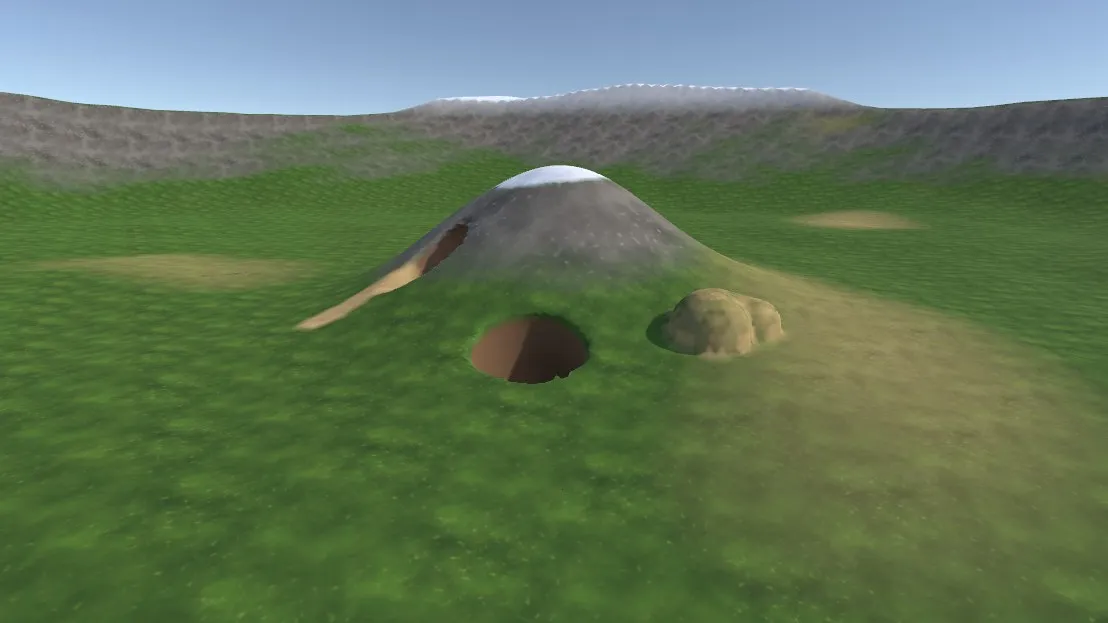
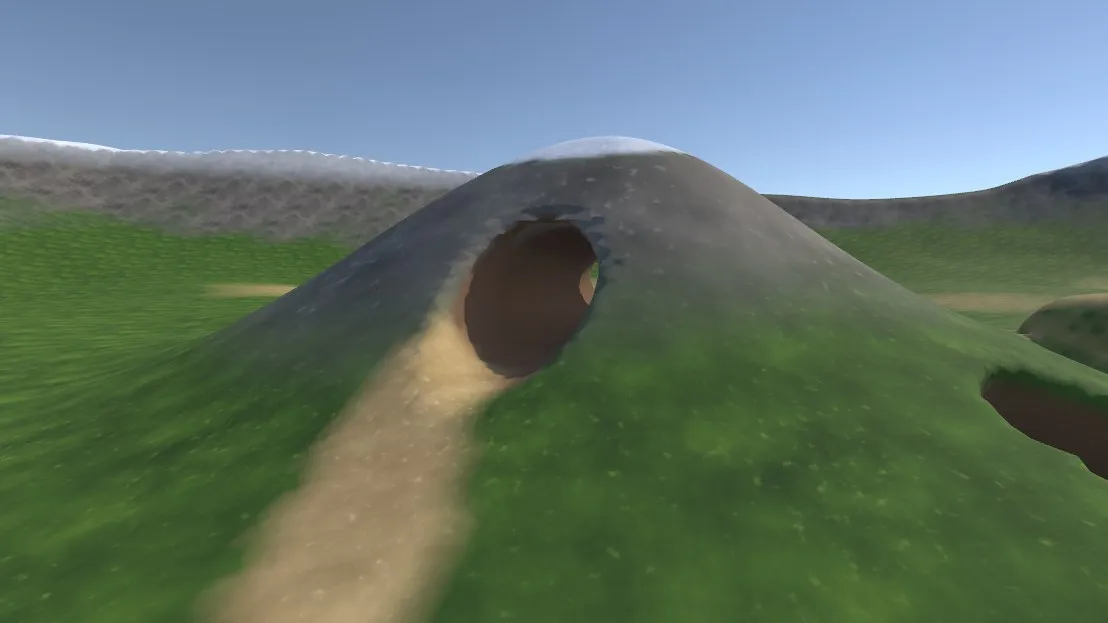
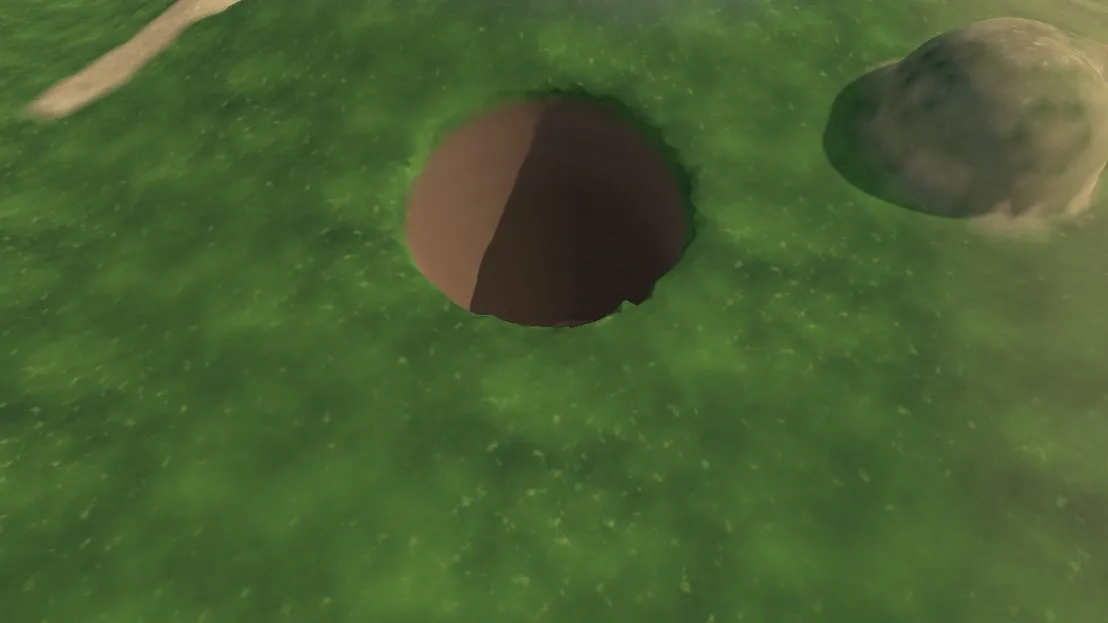
- Dig and add soil at runtime: holes, tunnels and caves under a normal Unity Terrain.
- Paint any of the terrain’s layers (or dug soil) onto the voxel surface, at runtime and in the editor.
- In VRChat, edits sync to every player, including late joiners.
- Shading matches the terrain’s own layers (as many as it has, up to 16), with a “dug soil” material underground.
- Works with baked lighting: chunks are lightmapped, and chunks dug at runtime switch to light probes.
- Terrain trees and details (grass, flowers, detail meshes) show inside zones and go away where the ground under them is dug or buried. Paint them into zones with the DigHoleIt: Paint Trees / Paint Details terrain tools.
- Terrain-style editor brushes: Dig, Add, Paint, Smooth and Reset, with shapes, size and strength.
- Zones follow the terrain: raise, lower or paint the terrain under a zone and it updates, keeping your sculpting. A bake raises the zone when the terrain reaches its top.
- Move and resize zones with box handles; re-baking keeps your sculpting.
- Grids are stored run-length compressed (a terrain grid shrinks to a few percent). In VRChat, players decode only the chunks that get dug, reset is instant, and only chunks with a surface have a GameObject, so large zones stay light.
- One brush and mesher implementation, shared by the Udon runtime and plain C#.
Screenshots
| Tunnel through a hill | Dug pit and added soil |
|---|---|
 |  |
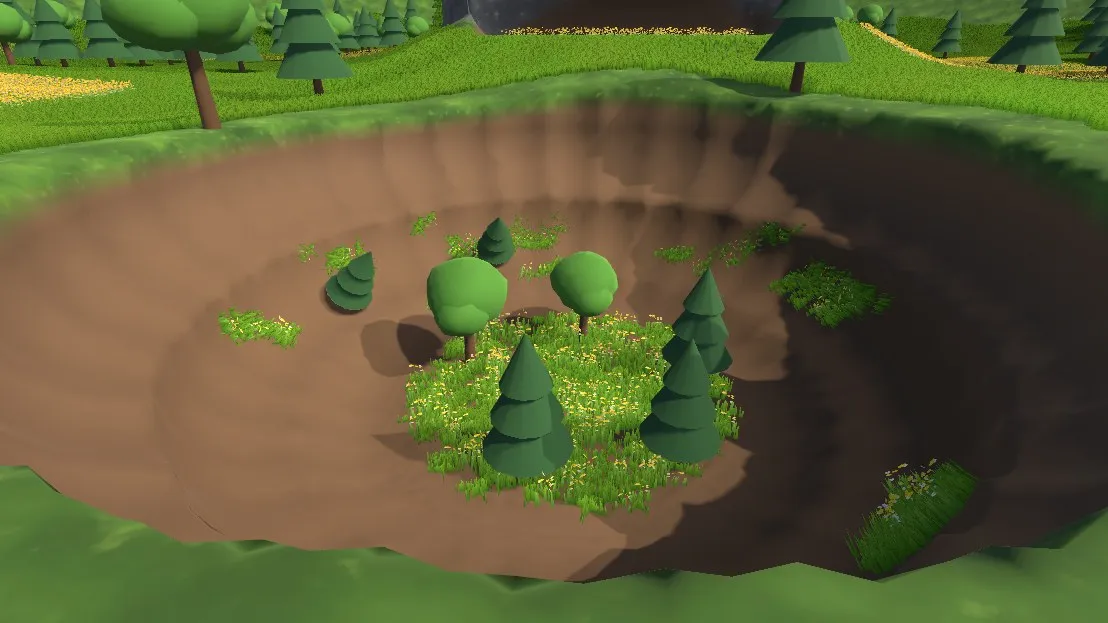
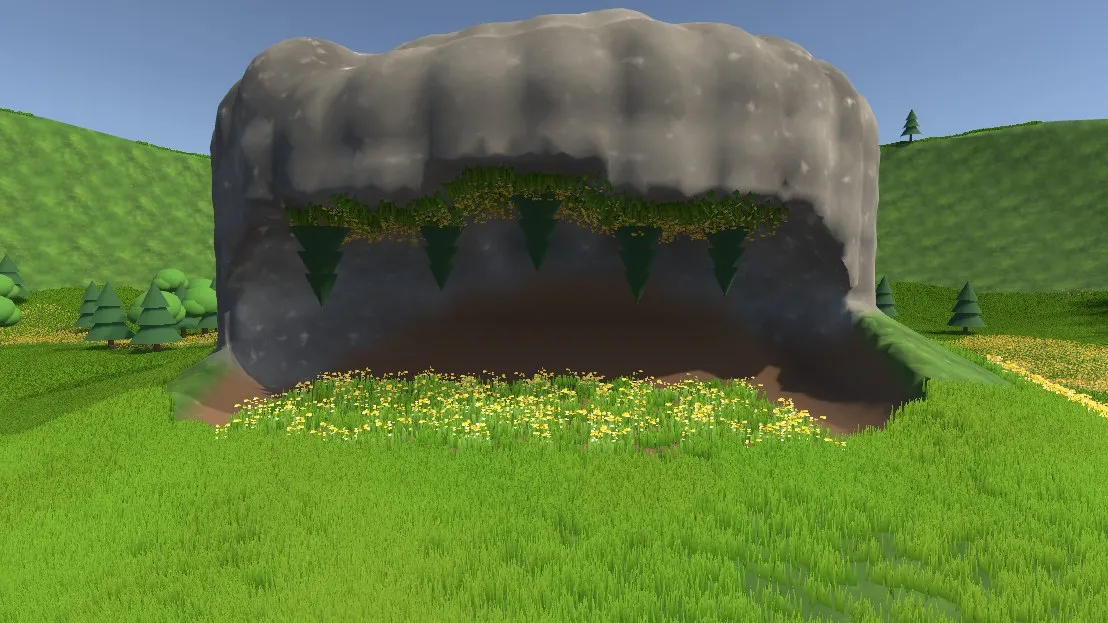
Painting inside holes. DigHoleIt: Paint Trees and Paint Details reach into dug holes: trees and grass on a pit floor and its walls, and trees hanging from a cave ceiling with flowers growing on it:
| Trees and grass in a pit | Under a cave ceiling |
|---|---|
 |  |
Sculpting in the editor. The Dig Sculpt tool, with its brush panel in the Scene view:
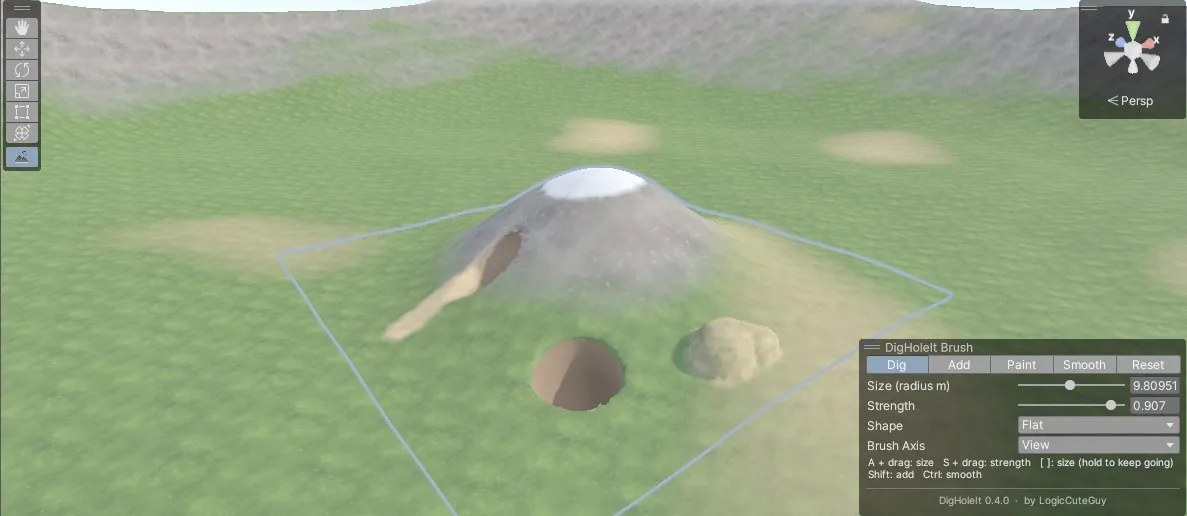
From the Terrain. The same brushes as a terrain tool, DigHoleIt: Dig Voxels, in the terrain’s Paint Terrain list (here in Add mode, adding soil textured with the Grass layer):

Requirements
| VRChat world | Standalone game | |
|---|---|---|
| Unity | 2022.3 | 2022.3 |
| Render pipeline | Built-in | Built-in |
| Other | VRChat Worlds SDK 3.10.5 and LCGUdonSharp 0.3.4 or later | none |
Install
VRChat Creator Companion (VCC): add the LogicCuteGuy repository from docs.logiccuteguy.com (Install via VCC), or add this listing URL in Settings > Packages > Add Repository:
https://vpm.logiccuteguy.com/index.jsonThen add DigHoleIt to your project. VCC also installs LCGUdonSharp with it. The listing may lag behind the newest GitHub release.
Git URL: Window > Package Manager > + > Add package from git URL:
https://github.com/LogicCuteGuy/DigHoleIt.gitOr clone this repository into your project’s Packages/com.logiccuteguy.digholeit folder.
The package picks its runtime from the project. With the VRChat SDK only the Udon runtime compiles; without it only the standalone runtime does. To keep the standalone runtime in a VRChat project, add the scripting define DIGHOLEIT_STANDALONE.
Example scenes
The package’s Example folder has ready-made scenes. Open them from the Project window under Packages > DigHoleIt - Diggable Voxel Terrain > Example:
| Scene | What it shows |
|---|---|
VRChat/DigHoleItVRChatDemo | A baked Dig Zone with three shovels (dig, add, paint) and a VRCWorld spawn. Press Play with ClientSim, pick up a shovel and hold Use. VRChat projects only. |
Standalone/DigHoleItStandaloneDemo | A baked zone and a camera with DigToolStandalone. Press Play: the left mouse button digs, the right adds and the middle paints. Non-VRChat projects only. |
Showcase/DigHoleItShowcase | The scene of the screenshots above: a forest terrain with a pit and a cave, trees and grass inside them, and trees hanging from the cave ceiling. The disabled cameras Shot Pit and Shot Cave hold the screenshot views. |
A package installed from a Git URL is read-only, so its example scenes can’t be saved or re-baked. To change one, copy its folder into Assets first (or install through VCC, which puts the package in Packages where it can be edited).
Quick start (VRChat)
- Tools > DigHoleIt > Create VRChat Demo Scene builds a terrain, a baked Dig Zone, a spawn and three shovels (dig, add, paint). Press Play with ClientSim, pick up a shovel and hold Use.
- On your own terrain: add DigHoleIt > Dig Zone to an empty GameObject, assign the Terrain, click Fit To Terrain, then Bake.
- Click Add VRChat Runtime in the zone inspector.
- Add a pickup with a DigTool and put the zone in its
zonesarray.
Quick start (standalone)
- Tools > DigHoleIt > Create Standalone Demo Scene, or bake your own zone as above.
- Click Add Standalone Runtime in the zone inspector.
- Call
Dig(worldPos, radius),Add(worldPos, radius)orPaint(worldPos, radius, layer).DigToolStandalonegives mouse digging. For saves and multiplayer, store or send thelongedits fromEditLog/LocalEditRequested.
Documentation
- Getting started
- Dig Zones: settings, baking, zone height, trees and details, resizing, terrain holes, following terrain edits
- Editor brushes
- VRChat runtime
- Standalone runtime
- How it works
- Performance and limits
- Troubleshooting
See the changelog for what changed in each version.
Tests
EditMode tests in Tests/Editor cover grid compression (round trips, stepped decoding, corrupt streams, data asset saving), per-chunk storage (edits and meshes match the whole grid, incremental repacking), edit packing, brush idempotence and edit-box limits, painting, Surface Nets winding, watertight output, chunked output matching single-chunk output, cutting chunk meshes to the terrain hole, and when trees and details over a zone stay or go (whole grid and per chunk). Run them from the Test Runner; the package is listed in testables.
Author
Made by LogicCuteGuy. Issues and suggestions: GitHub Issues.
License
MIT © LogicCuteGuy
パッケージ名
com.logiccuteguy.digholeit
ドキュメント
https://github.com/LogicCuteGuy/DigHoleIt/tree/main/Documentation~
リポジトリ
- LogicCuteGuy VPM Listing (5 バージョン)
バージョン
0.7.0 (変更履歴)
Unityバージョン
2022.3 以降
依存関係
なし
VPM依存関係
旧パッケージ
なし